
6 Best Job Boards to Work from Home Remotely in 2026
The best way to work from home remotely is to search a few trusted remote job boards instead of scrolling random ads, and the six below are worth your time. A good board is free or clearly priced, sho...

The best way to work from home remotely is to search a few trusted remote job boards instead of scrolling random ads, and the six below are worth your time. A good board is free or clearly priced, shows the location rule on every listing, and lets you filter by job type and date. We Work Remotely suits developers, designers and marketers. Working Nomads suits beginners and part-timers. EU Remote Jobs suits people on European hours. LinkedIn and Indeed suit mainstream roles, and FlexJobs suits people who want screened listings and will pay for them.
Searching "work from home jobs" usually gets you a mix of real openings, copied listings and "earn $500 a day" scams. Worse, you can spend an hour on a role and then find that the employer only hires in one country. That wastes time, and for students and first-time job hunters it also puts money at risk.
At Trick and Tech we write for beginners who look for income online. For each board you will see what it offers, who it suits and what it costs. A final section shows you how to check that a job is real and how to find part-time, weekend or fast-hiring roles.
1. We Work Remotely
What you can find there
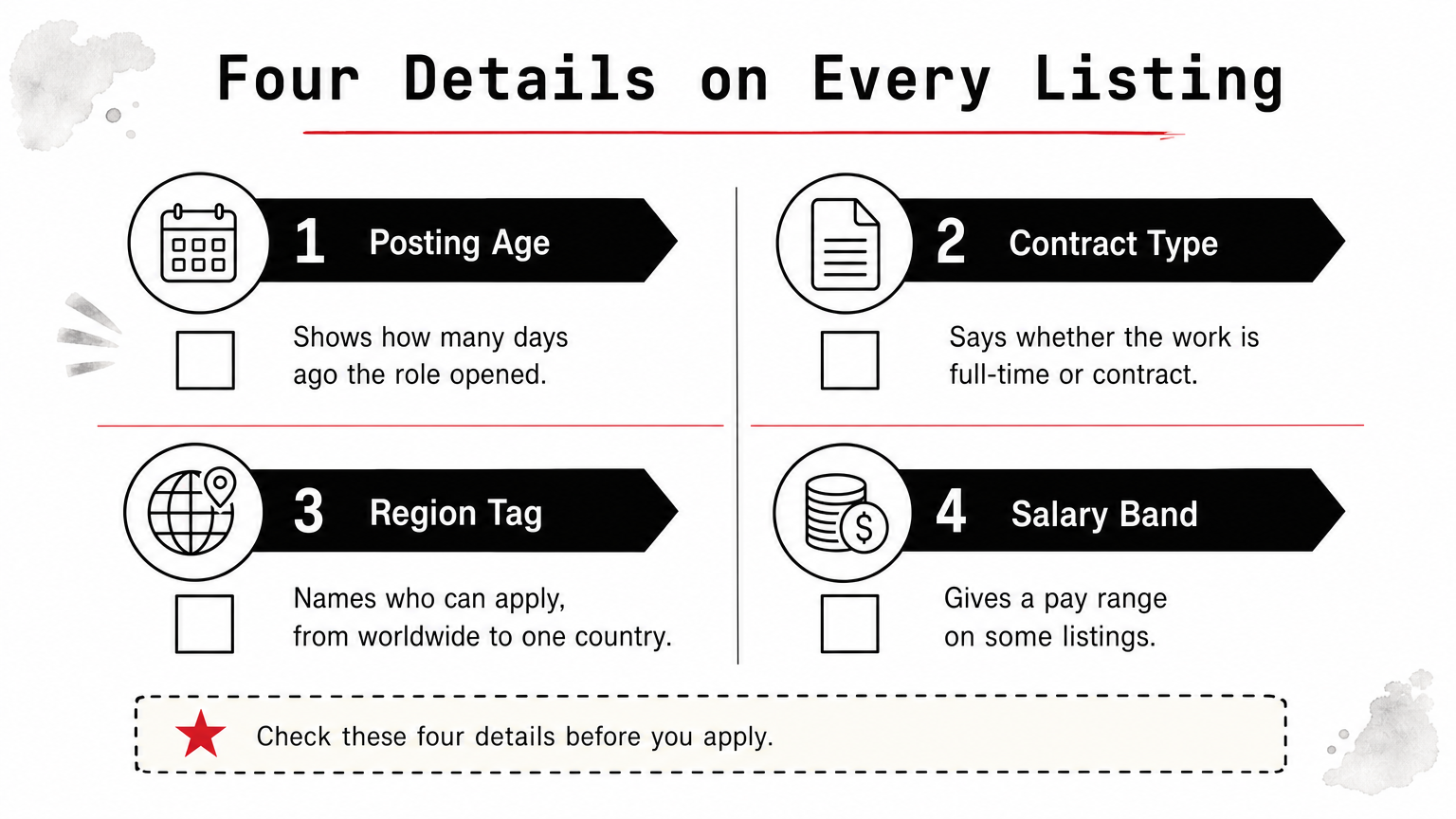
We Work Remotely is a remote-only board, so every listing is a job you can do from home. The home page groups roles into categories such as Full-Stack Programming, Design, Sales and Marketing, Product, and DevOps and Sysadmin. An "All Other Remote Jobs" group holds customer support, writing and operations roles. Every listing also carries a region tag that tells you who can apply.
- Posting age, such as 1d or 20d, so you can spot fresh openings.
- Contract type, such as Full-Time or Contract.
- A region tag, from "Anywhere in the World" to "North America Only".
- A salary band on some listings, for example $50,000 to $74,999 USD.
Who it suits and what it costs
Developers, designers, marketers and sales people get the most from this board, because those categories hold the most listings. Beginners can use it too, but many roles are senior, so filter your attention toward entry-level titles.
Browsing is free, and many listings carry a "Free to apply" tag that sends you to the employer's own application page. Employers pay for "Boosted" and "Featured" placement, so the top of a category shows who paid, not who is best. Scroll past the paid spots and read the region tag before anything else.
Read the region tag before the job title, because "remote" does not always mean "open to your country."
2. Working Nomads
What you can find there
Working Nomads curates fully remote jobs from around the web and sorts them into about 15 categories, including Development, Design, Marketing, Customer Success, Writing, Finance, Education and Administration. The strongest feature is the filter set. You can narrow results by position type (full-time, part-time or contract), by experience level and by region, including an "Anywhere" option. Pay appears on some listings, often as an hourly rate or a yearly range.
- Entry-level roles such as content review and data analysis appear often.
- Region filters cover Anywhere, Europe, Latin America, APAC and more.
- Email job alerts save you from checking the site every day.
Who it suits and what it costs
Beginners, students and part-time seekers will find the most here, because the experience-level and part-time filters cut out senior roles in two clicks. Freelancers who want contract work can use the same filter.
Browsing the public listings is free. A paid Premium subscription shows the rest of the database, which the site puts at over 50,000 jobs. Start with the free listings, since they are enough to judge whether the board fits you. Working Nomads even publishes a scam alert about fake sites that copy its name, so always check that you are on the real address.
Use the part-time and entry-level filters first, because they remove most of the roles you cannot get.
3. EU Remote Jobs
What you can find there

EU Remote Jobs is a board for European time zones, and its team curates listings by hand. That makes it smaller than the big general boards, but tidier. Time-zone fit is the detail to check on any remote job, because many employers expect you online during their business hours. This board is built around that rule.
- Hand-picked listings from remote companies.
- Roles aimed at European working hours.
- A useful second check on jobs you found elsewhere.
Who it suits and what it costs
If you live in Europe, this board saves you from applying to roles that quietly require a US time zone. It also works for readers elsewhere who can keep European business hours. A late shift at home in South Asia, for example, overlaps with the European morning and midday.
The board is a search tool, not a hiring agency, so you apply through each employer. Check the site for its current alert and posting options. Whatever the terms, never pay a board or recruiter to submit an application for you.
If a job needs overlap with a time zone you cannot cover, skip it before you write the cover letter.
4. LinkedIn Jobs
What you can find there

LinkedIn is a general professional network, and its job search includes a remote option under the workplace type filter. Each listing links to the company page, the recruiter who posted it and often to people you know there. Many listings support Easy Apply, which sends your saved profile in one click.
- A workplace filter that you set to Remote.
- A date filter that includes the past 24 hours.
- Email alerts for any saved search.
Who it suits and what it costs
Graduates and professionals in sales, marketing, finance, support and tech get the most from LinkedIn, because recruiters search profiles as well as postings. A complete profile with a clear headline and a photo does half the job for you.
Searching and applying are free. Premium is optional, and you do not need it. Remote filters can still show roles that require you to live in a particular country, so read the location line in the description. Fake postings exist, so check the company page for real employees and a working website before you share personal details.
On LinkedIn your profile is your application, so fix it before you send a single one.
5. Indeed
What you can find there
Indeed is one of the largest general job sites, and its remote search lists well over 100,000 openings in fields such as tech, admin and customer support. Because it covers every kind of employer, it holds more part-time and entry-level roles than the niche boards. Use the Indeed site for your own country, since results follow the employer's location.
- A remote filter on the search page.
- A job-type filter that includes part-time and contract.
- A date-posted filter and email alerts.
Who it suits and what it costs
Indeed suits people who want admin, support or other everyday remote roles and who live in a country the employer hires from. It is a weaker fit if you need a role open to applicants worldwide, because many listings tie you to the employer's country.
Job seekers use it for free. You can upload a resume, which lets employers find you, and set alerts for each search. Some listings are reposted by staffing agencies, so confirm who the real employer is before you apply. If a listing hides the company name and asks for a fee, close the tab.
Indeed gives you the widest choice, but you have to check eligibility yourself.
6. FlexJobs
What you can find there
FlexJobs is a paid job board that screens listings by hand and advertises itself as free of ads, scams and junk. It covers work-from-home, hybrid, part-time and flexible-hours roles. The screening is the whole product. You pay so that someone else removes the bad listings before you see them.
- Filters for remote, hybrid, part-time and flexible schedules.
- Listings reviewed before they appear.
- Job categories across many fields.
Who it suits and what it costs
It suits people who have been burned by scams and would rather pay than sift. Parents and anyone who needs flexible hours can also use the schedule filters to find roles that fit around other commitments.
FlexJobs charges a subscription, and plans change, so read the current options on the site before you pay. Some employers also post on free boards, so run a quick search on the free ones first. If your budget is tight, use the free boards above and apply the checks in the next section yourself.
Paying for screening makes sense only after the free boards have failed you.
How to find a legitimate work from home job
Match the board to your situation
Pick two boards that fit your skills and location, not all six. Searching two well beats skimming six badly.
| Board | Best for | Standout feature |
|---|---|---|
| We Work Remotely | Tech, design, marketing, sales | Region tag on every listing |
| Working Nomads | Beginners, part-time, contract | Position-type and experience filters |
| EU Remote Jobs | Workers on European hours | Hand-curated, time-zone focus |
| Corporate and professional roles | Recruiter contact and Easy Apply | |
| Indeed | Part-time, admin, customer support | Date and job-type filters |
| FlexJobs | People who want screened listings | Paid, reviewed listings |
For weekend or part-time work, filter by part-time or contract and ignore full-time roles. For jobs that are hiring now, set the date filter to the last 24 hours and apply early. Take a part-time role at $14 per hour, a rate seen on Working Nomads for content review. At 15 hours a week that is $210 a week, or about $840 over four weeks before tax. Check the country restriction first, because that listing was open only to applicants in the USA.
Spot a fake job before you apply
A real employer never charges you to get hired. Any upfront fee for training, equipment or "registration" is a scam. Other warning signs are interviews held only on Telegram or WhatsApp, a salary that is far above the market for a beginner, and a company with no website or employees you can find.
- The listing hides the employer's name.
- The recruiter asks for your bank details before an offer.
- You are asked to buy equipment and be repaid later.
- The pay promise has no job description behind it.
Before you apply, search the company name with the word "scam" and open the careers page on the company's own website. If the job is not listed there, ask before you share any documents. Trust the employer's own site over the board listing.
If a job costs money to start, it is not a job.
Start with two boards and apply this week
Real remote work exists, and the six boards above are where most of it is listed. Pick the two that match your skills and your time zone, read the region tag on every listing, and use the date and job-type filters to find part-time, weekend or fast-hiring roles. Never pay to apply.
Set up alerts on both boards today, so new roles arrive in your inbox while you work on your profile and applications. For more beginner-friendly guides on earning online, AI tools and everyday tech, read more practical guides on Trick and Tech.


