
6 Best Places to Find Customer Care Remote Jobs in 2026
The best places to find customer care remote jobs are one large direct employer plus a few job boards that let you filter by remote and entry-level. Try Amazon's hiring site if you want structured tra...

The best places to find customer care remote jobs are one large direct employer plus a few job boards that let you filter by remote and entry-level. Try Amazon's hiring site if you want structured training at a big company. Use Indeed or ZipRecruiter if you want the most listings and fast applications. LinkedIn suits you if you already have a profile and contacts. We Work Remotely or Remote.co fit you if you want worldwide, part-time or freelance work.
The hard part is not finding listings, it is finding the right ones. A search for remote customer service returns real support roles mixed with commission-only insurance sales, 1099 contractor gigs and senior customer success jobs that want years of experience. You can lose a weekend applying to roles you were never going to get, or that were never support jobs at all.
Trick and Tech covers work-from-home and earning ideas for beginners, and this guide keeps the same plain approach. Below are six sources, what each is good for and how to search it. A final section covers job titles, requirements, pay and warning signs for applicants with no experience.
1. Amazon hiring site
Amazon's hiring site is the first place to check because it is a direct employer with a dedicated customer service category. You apply to Amazon itself, with no recruiter or reseller in between.

What you will find
The Amazon customer service jobs page advertises flexible remote or in-office positions with pay, benefits and training. Roles are posted as ordinary job openings, so any offer that asks you to pay a fee is not from Amazon. Whether a given opening is remote depends on the role and its location, so read the location line before you apply.
Expect a structured, metrics-driven environment. That means phone, chat or email support, a paid training period and set schedules. If you want predictability more than total flexibility, that structure helps.
Who it suits and how to search it
This source suits beginners who want formal training and a recognizable name on their resume. It also suits people who prefer one clear application path over dozens of small employers. Filter by location, then open each posting to confirm the schedule and whether the work is remote.
Openings change often, so check back regularly. If you live outside the US, confirm that the posting accepts applicants from your country before you invest time in it.
Apply to a large employer directly first, then use job boards to widen the net.
2. Indeed
Indeed is the best general-purpose board for volume. A remote customer service search returns many openings, and most listings show pay, hours and benefits up front.
What you will find
Employers on Indeed range from healthcare networks and utilities to small service companies. A sample remote call center role at a healthcare provider posted $17.00 to $34.15 an hour. It asked for a high school diploma and about one year of customer service experience. It also required a private workspace and wired high-speed internet. Many listings carry an "Easily apply" tag, and company pages add salary data and employee Q&A.
Watch the location label. Indeed mixes fully remote, hybrid and on-site roles in the same results, and a "customer service" title can hide an in-person job.
Who it suits and how to search it
Indeed suits anyone who wants breadth, from first-timers to experienced agents. Search "remote customer service", then repeat the search with "customer support", "call center representative" and "customer care". Each phrase surfaces different employers.
Sort by date and turn on email alerts for your best searches. Applying within the first day or two of a posting gives you a better chance of being read.
Run the same search under three or four job titles, because employers name identical roles differently.
3. LinkedIn Jobs
LinkedIn Jobs is best when you want to apply with a profile and reach the people who actually hire. It lists thousands of remote customer service representative openings, and you can see who posted each one.
What you will find
You can filter by remote, experience level and date posted, and many listings offer a quick apply option. A lot of the openings come from software and tech companies, so the mix leans toward support for apps and online services. Some titles look entry-level but are really customer success or account management, which asks for more experience.
Each listing shows the company, its size and often the recruiter. That is useful because a short, polite message to the recruiter can move your application out of the pile.
Who it suits and how to search it
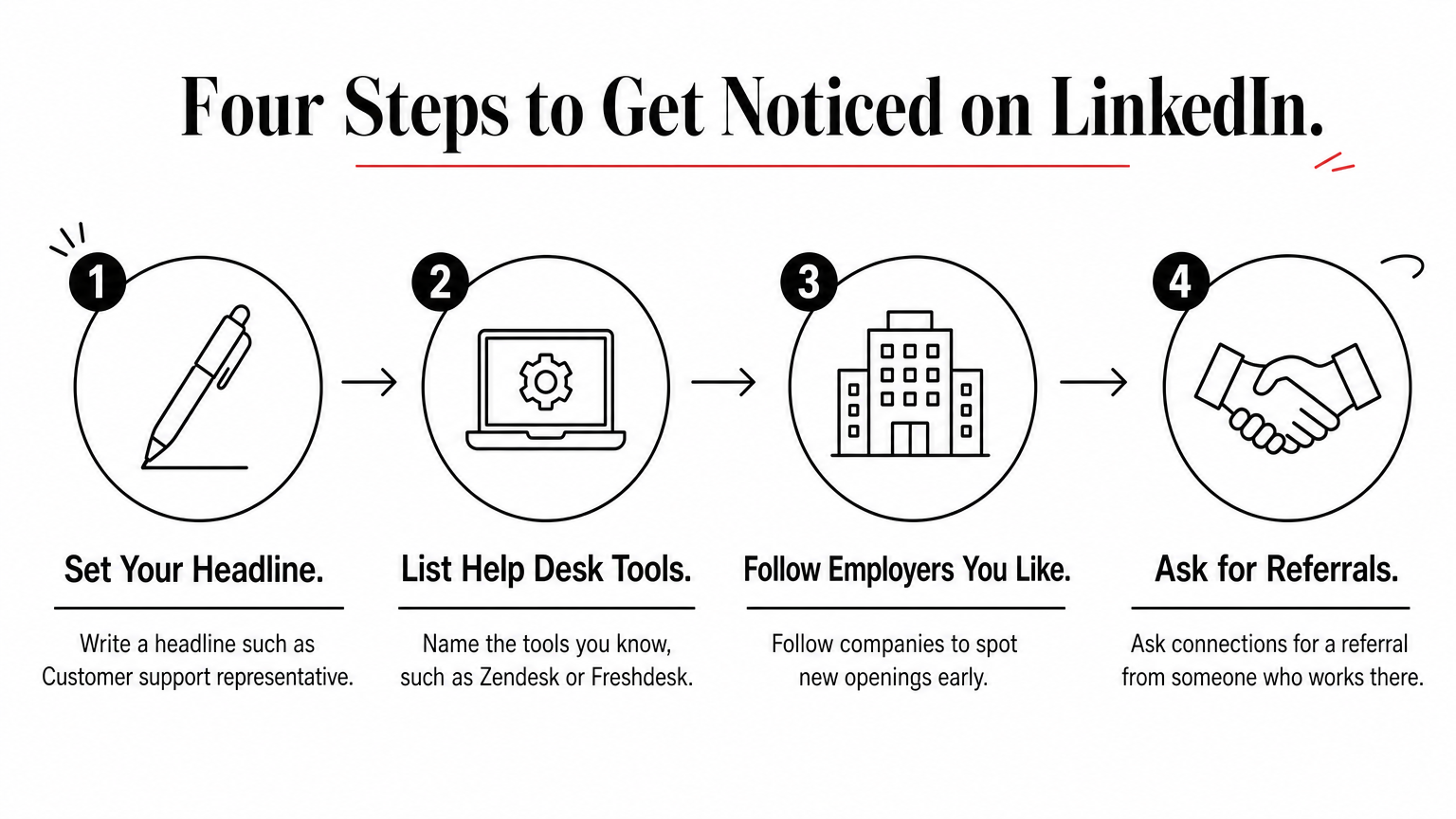
LinkedIn suits people with some work history or a tech-curious background. It also suits anyone willing to spend an hour on a profile. Set your headline to something like "Customer support representative" and list the help desk tools you know, such as Zendesk or Freshdesk.
Follow employers you like and ask connections for referrals. A referral from an employee often gets a human to open your application.
Your LinkedIn profile is your application, so finish it before you search.
4. ZipRecruiter
ZipRecruiter suits fast applicants. Many listings use one-click "Quick apply", and the site publishes pay data and new openings every day.
What you will find
Listings show pay, benefits and company size, and some let you add a note after applying to rise in the candidate list. Salary pages break pay into bands, so you can see where an offer sits compared with similar roles.
The catch is quality. Searches for remote customer service also surface commission-based insurance sales and 1099 independent-contractor roles. A title like "Remote Insurance Professional" is not a support job, even when the description mentions customer service.
Who it suits and how to search it
ZipRecruiter suits people who apply to many roles quickly and want pay information before they commit. Apply early, because the site itself rewards early applicants. Read the pay line carefully: hourly pay is a support job, while "uncapped commission" or a yearly figure with no base is sales.
Use the "People also search for" terms such as "work from home customer service" and "weekend remote customer service" to find part-time and shift-based openings that the main search misses.
Read the pay type before the job title. Hourly means support, commission means sales.
5. We Work Remotely
We Work Remotely is the best pick if you live outside the US or want a remote-first employer. Its customer support category tags each listing with the countries it accepts.

What you will find
Each listing shows whether the role is "Anywhere in the World" or limited to specific countries, along with full-time or contract status. Some show a salary band, such as $25,000 to $48,999 USD. Titles include customer support agent, technical support and billing support. The category also holds customer success, CRM and engineering roles, and promoted listings are labeled, so skim titles carefully.
Most employers here are software, fintech and online-service companies, so support work is often chat and email based rather than phone based.
Who it suits and how to search it
This board suits English-speaking applicants worldwide and anyone comfortable with technical products. Search for "support agent", "technical support" and "billing support", then check the time zone expectations. Many remote-first teams still need coverage in certain hours.
Note whether the role is full-time or contract. Contract roles often come without benefits and may pay in US dollars, which matters if you plan around local expenses.
Check the country tag on every listing, because "remote" does not always mean "open to you."
6. Remote.co
Remote.co is a good pick for part-time, freelance and flexible roles. Its customer service category advertises full-time, part-time, freelance and work-from-anywhere opportunities.
What you will find
The category groups different working arrangements in one place, so you can compare a full-time agent role with a part-time or freelance one. Listings are fewer than on the big boards, which makes the list quicker to scan. Employers range from established companies to small remote teams.
Check the working arrangement on every listing. "Flexible" can mean flexible hours for an employee or flexible workload for a contractor, and the two are very different.
Who it suits and how to search it
Remote.co suits students, parents and side-income seekers who want fewer hours or a schedule they control. Search the customer service category first, then narrow to part-time or freelance listings.
Freelance support work usually makes you a contractor. Before you accept, confirm the hours, pay basis and who supplies equipment, and plan for your own taxes.
For part-time or freelance support work, start with a board that sorts by working arrangement.
How to land a remote customer care job with no experience
You can get an entry-level remote customer care job without direct support experience if you show customer-facing experience, own a reliable home setup and apply to the right titles. Many postings ask for a high school diploma plus about a year of experience, but others say experience is helpful, not required, and provide training.
Job titles to search besides customer care
Customer support jobs remote and customer care remote jobs overlap with a long list of titles. Search these to widen your results:
- Customer service representative
- Customer support specialist
- Call center or contact center representative
- Client service representative
- Chat support agent
- Appointment scheduler
Skip "customer success manager" at first. It usually means account management with two or more years of experience, not entry-level support. Technical support also expects troubleshooting skills.
What employers ask for
Postings repeat the same short list of requirements:
- A high school diploma or equivalent
- Customer-facing experience, where retail, hospitality and food service all count
- Typing speed and basic computer skills
- Reliable high-speed internet, sometimes wired directly to the router
- A private, quiet workspace
- Availability for scheduled shifts, sometimes including weekends
- A background check, for some employers
If you have no support history, rewrite your resume around moments you solved a customer problem. Put the situation, what you did and the result in one line each. That reads as experience even when the job title was cashier or server.
Customer-facing work in any field counts as experience if you describe it as problem solving.
What entry-level roles pay
Posted hourly ranges for entry-level remote and hybrid support roles on Indeed cluster in the high teens to mid-twenties. The wide bands reflect experience, location and employer.
| Role type | Posted hourly range | What the posting asked for |
|---|---|---|
| Remote healthcare call center advocate | $17.00 to $34.15 | About 1 year of customer service, private home setup |
| Full-time customer experience representative | $18.00 to $22.50 | Billing, payments and service coordination |
| Appointment-scheduling representative | $18 to $30 | Call handling, scheduling and rescheduling |
| Part-time hybrid customer service rep | $15 to $25 | Comfort with computers and customer tools |
Here is a worked example. At $18 an hour for 40 hours a week over 52 weeks, you earn $37,440 a year. The same rate at 20 hours a week gives $18,720. Reaching $1,000 a week from support alone takes about $25 an hour full-time. That sits at the top of most entry-level ranges, so expect it after you gain experience or a specialty.
Warning signs of misleading listings
Real support jobs rarely hide how you are paid or who employs you. Treat these as red flags:
- Commission-only pay or "uncapped earnings" with no hourly base
- 1099 contractor status on a role advertised as customer service
- Requests for money for training, equipment or a "starter kit"
- A vague company name, no website or communication only through messaging apps
- Job titles that say "insurance professional" or "sales agent" in a customer service search
Before you apply, search the employer's name with its official careers page. If the role does not appear there, ask why before you share personal details.
Pick two sources and start applying
Customer care remote jobs are easiest to land when you use a direct employer like Amazon alongside one or two boards that match your situation. Choose Indeed or ZipRecruiter for volume, LinkedIn for referrals, We Work Remotely for worldwide roles and Remote.co for part-time or freelance work. Read the pay type, the location rule and the employer on every listing before you apply.
Set alerts, polish a resume built around customer problems you solved, and apply early. If you want more beginner-friendly work-from-home ideas, browse more earning guides on Trick and Tech.


